VoxLink 1.2: Audio file playback, deep links, smarter audio routing
# date         : 2026-04-30
# reading_time : 3 min read
$ tree ./toc
VoxLink 1.2: Audio file playback, deep links, smarter audio routing
VoxLink 1.2 is out. The headline feature is audio file playback — you can now transmit a pre-recorded clip over the air directly from the PTT screen — and it brings a stack of smaller workflow improvements on top.
Audio file playback
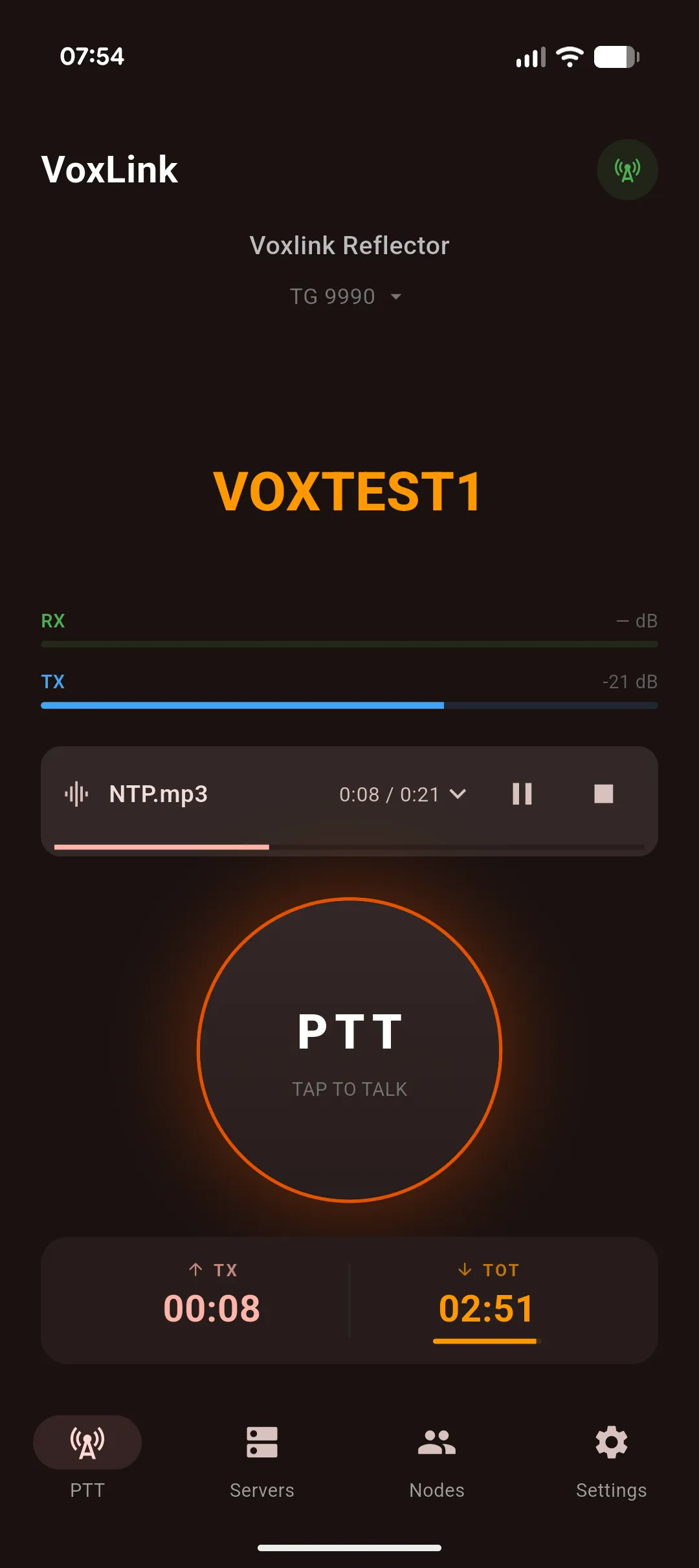
A new file-playback button sits next to PTT. Tap it, pick an audio file, and VoxLink streams it over the air while a progress card tracks playback. Local monitoring plays the same audio out the speaker while you transmit, so you actually hear what’s going out.
A few sensible guard rails:
- Disabled while VOX mode is active — file playback and voice-activated TX don’t mix.
- Disabled while another station is talking — no stomping on a live conversation.
It’s the feature I’ve wanted for ages for tests, recorded ID announcements, and net openings.
Faster talkgroup workflows
Managing presets used to mean diving into the server edit form. Several changes make presets feel first-class:
- Talkgroups entry in the active server’s menu — jump straight to preset management without re-opening the edit form.
- Optional onboarding right after you add a new server, so you can set presets up while it’s fresh.
- ‹ / › chevron buttons on the PTT screen to step through presets without leaving the talk view (appears when the server has two or more).
- Monitor another TG… in the picker — drop into any arbitrary talkgroup for monitoring without first turning it into a preset.
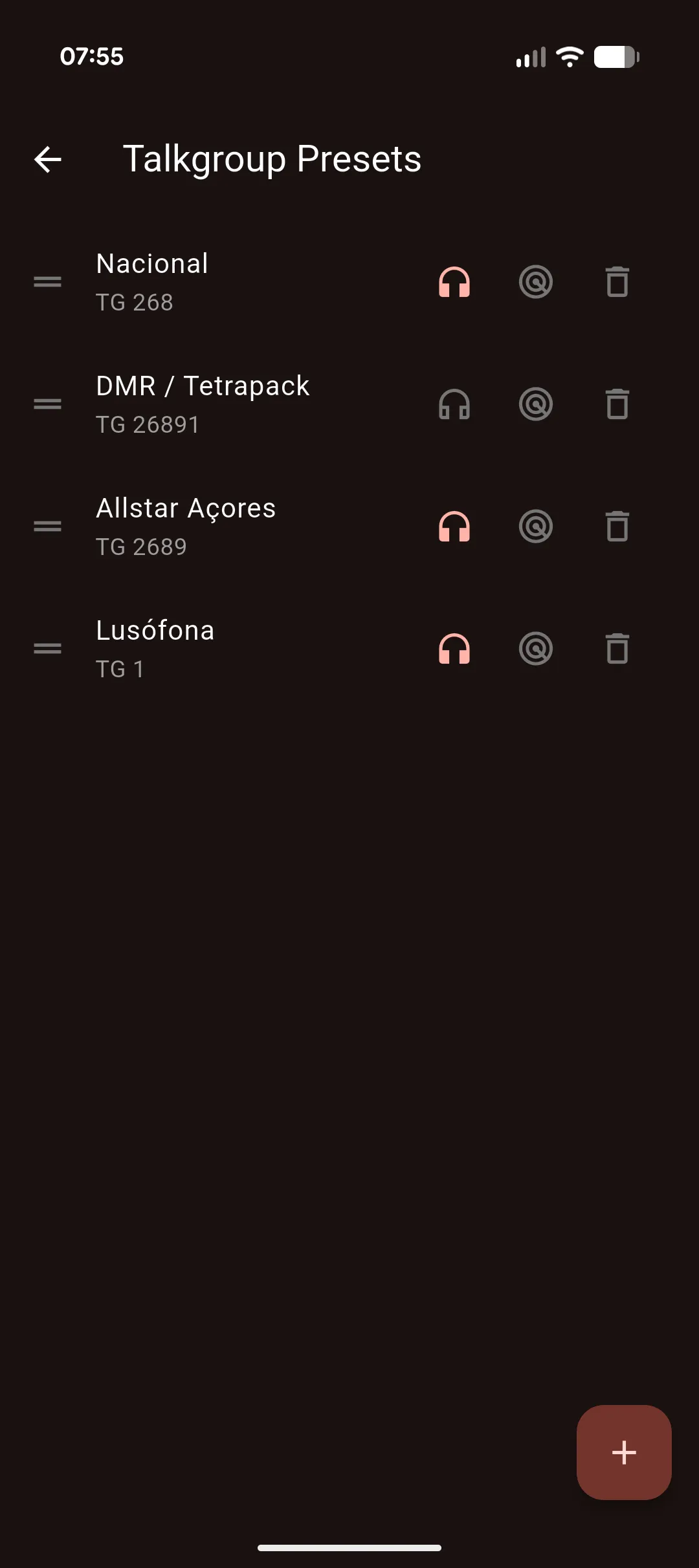
- Per-preset “Monitor by default” flag in the talkgroup presets screen — pin specific talkgroups to always be monitored when you connect.
voxlink:// deep links and QR codes
You can now share server configurations as a single URL or QR code. The format:
voxlink://host:port/?name=&user=&pass=&tg=Open one (or scan a QR code that encodes one) and VoxLink launches with the new-server form prefilled — no manual copying of host, user, or talkgroup numbers. Useful for net coordinators, club groups, or just sharing your own setup across devices.
Live audio routing
Two changes that fix a long-standing pain point:
- The audio output picker in Settings is now live — it lists the actual devices currently available (built-in speaker, wired headset, paired Bluetooth device, etc.) instead of a fixed enum that didn’t always match reality.
- Auto-rerouting — when Audio output is set to Auto, plugging in or removing a headset or Bluetooth device switches the route on the fly. If your selected device disappears mid-session, a toast tells you what happened.
The Settings rows for audio output and audio input also stack the device or source name below the label, so a long Bluetooth name no longer wraps awkwardly.
Smaller changes
- The PTT screen header now shows the server name (with host as fallback) instead of the raw hostname — friendlier when you’re managing multiple reflectors.
Fixes
- Snackbars on the Servers and Recordings screens now auto-dismiss when an Android accessibility service is active. Previously they could sit on screen indefinitely, and recordings deleted via the snackbar were never actually cleaned from disk.
- The “Connection timed out” warning no longer lingers on the PTT screen after a successful auto-reconnect.
- The reflector connection no longer reconnects in a loop after a protocol-level error like Access denied.
Get it
VoxLink 1.2 is rolling out on the Google Play Store. More details at voxlink.jcalado.com.
If you hit a bug or have an idea, drop into the VoxLink Telegram community. 73.