RadShot: A Lightweight Screenshot Tool for Radtel RT-4D
# date         : 2026-01-18
# reading_time : 2 min read
$ tree ./toc
RadShot: A Lightweight Screenshot Tool for Radtel RT-4D
If you own a Radtel RT-4D, you’ve probably wanted to capture what’s on that little 128x64 display at some point — maybe to document a configuration, share a channel setup, or just show off your radio’s screen online.
RadShot is a small Windows utility that does exactly that. Connect your RT-4D via USB, click capture, and save the screenshot as a PNG.
What It Does
- Captures the RT-4D display over serial connection
- Live preview of the captured screen
- Gallery view to browse multiple captures
- Rename and organize your screenshots
- Export to PNG with one click
Why I Built It
I wanted a simple, fast tool to grab screenshots from my RT-4D without the overhead of larger applications. The result is a single executable under 300KB that just works.
Features
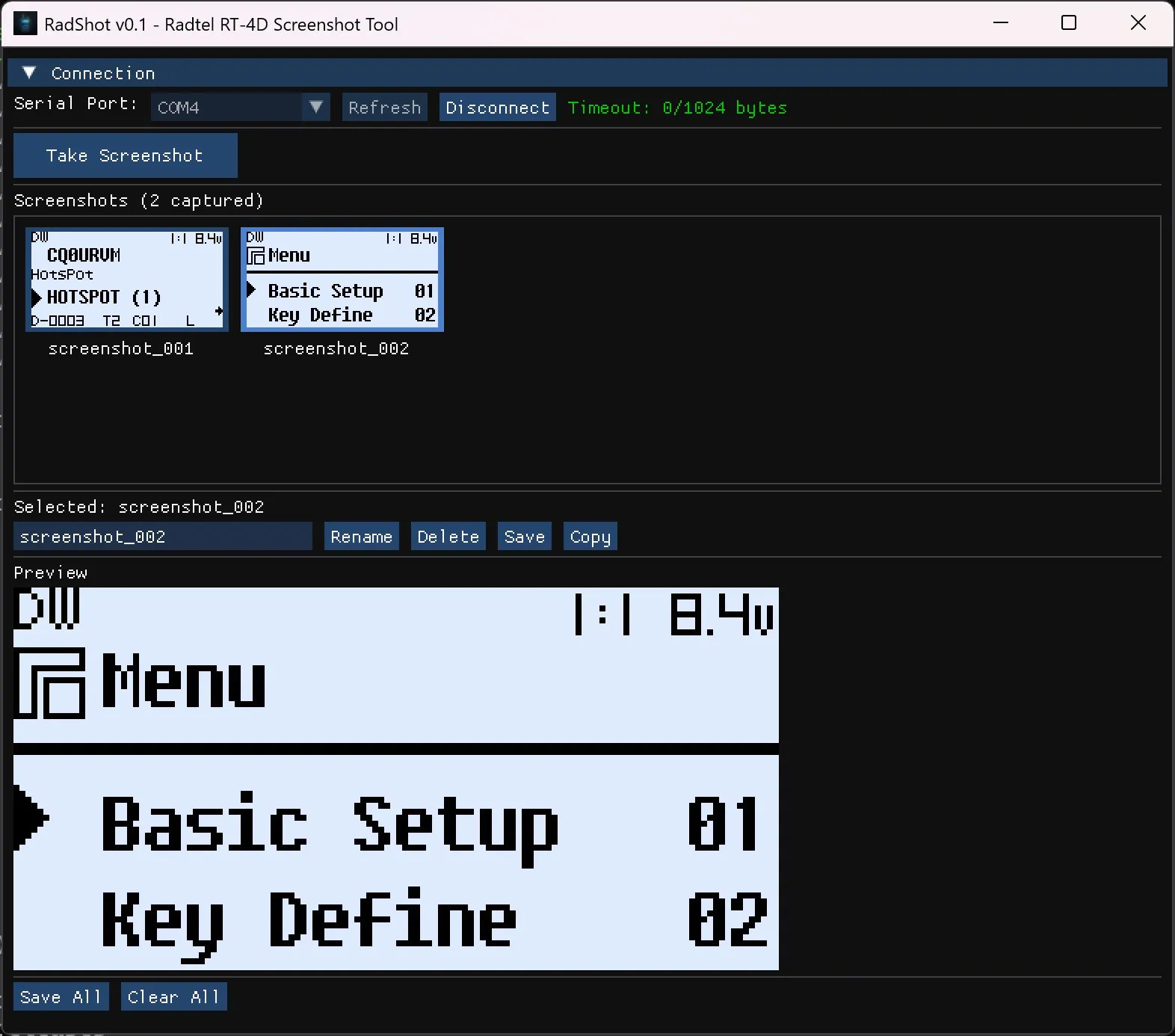
The interface is straightforward:
- Select your COM port from the dropdown
- Click “Capture” to grab the current display
- Preview appears instantly
- Save to your preferred folder
You can capture multiple screenshots in a session and browse them in the gallery view before deciding which ones to keep.
Download
RadShot is free and open source. Grab it from GitHub:
Prebuilt Windows binaries are available in the Releases section.
Technical Notes
For the curious: RadShot is written in C++ using Dear ImGui for the interface. The entire application compiles to a single portable executable with no external dependencies. It communicates with the RT-4D using the same serial protocol the radio uses for programming.
If you’re an RT-4D owner, give it a try and let me know what you think. Issues and contributions are welcome on GitHub.